
InVision is a well-known digital product design and prototyping platform that helps designers and teams transform static designs into interactive, clickable prototypes. It is widely used in UI/UX design workflows to visualize ideas, test user journeys, and collaborate efficiently with stakeholders. InVision focuses strongly on design communication, feedback, and collaboration, making it a valuable tool for modern product teams.
How InVision Works

InVision allows designers to upload design screens created in tools like Sketch, Photoshop, or Adobe XD and convert them into interactive prototypes. By adding links, transitions, and gestures, teams can simulate how an app or website will actually function. These prototypes can be shared easily through a link, enabling quick reviews and decision-making without coding.
Prototyping Capabilities
One of InVision’s strongest features is its high-fidelity prototyping. Designers can create realistic user flows, screen transitions, and interactive elements that closely resemble a final product. This helps teams identify usability issues early, reduce rework, and improve the overall user experience before development begins.
Collaboration & Team Communication
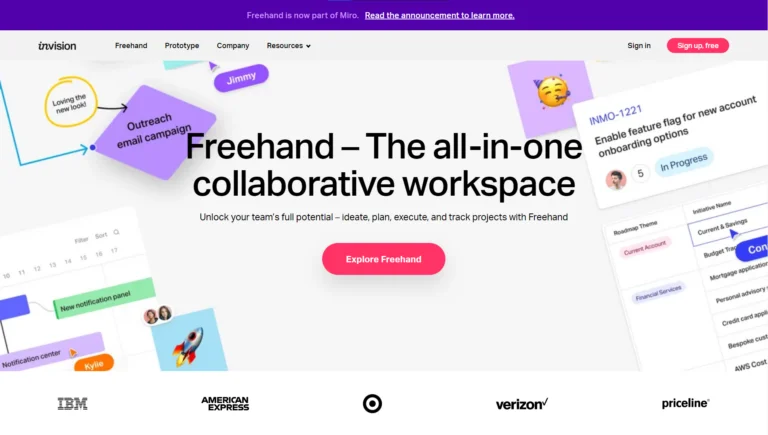
InVision is built for collaboration. Team members, clients, and stakeholders can leave comments directly on specific areas of a design. This visual feedback system removes confusion, reduces long email threads, and keeps all discussions centralized. With real-time updates, teams stay aligned throughout the design process.
- Real-Time Design Feedback
Team members and stakeholders can leave comments directly on specific design elements, making feedback clear, visual, and easy to understand. - Centralized Communication
All discussions, suggestions, and approvals stay inside the design file, reducing long email chains and miscommunication. - Easy Sharing with Links
Designs and prototypes can be shared via a simple link, allowing clients and team members to review work without downloading any software. - Stakeholder-Friendly Reviews
Non-designers can view, comment, and approve designs easily, making InVision ideal for client presentations and internal reviews. - Real-Time Updates
Any changes made to designs are instantly visible to all collaborators, ensuring everyone stays aligned with the latest version. - Visual Commenting System
Feedback is pinned to exact screens or UI elements, which helps designers quickly identify what needs to be changed.
InVision Freehand: Digital Whiteboard Tool
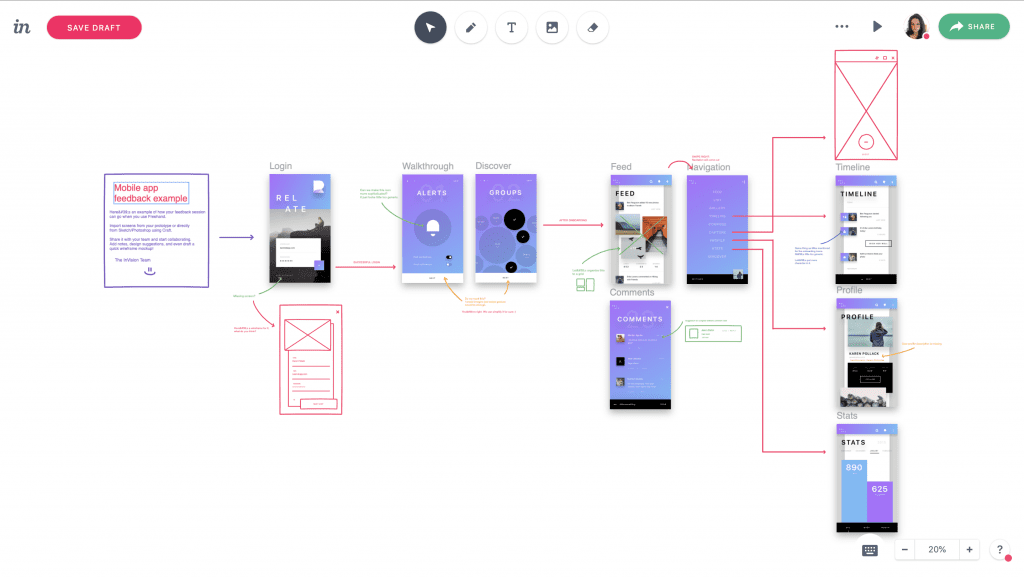
Freehand, InVision’s whiteboard feature, is used for brainstorming, wireframing, journey mapping, flowcharts, and ideation sessions. It allows teams to sketch ideas, add notes, and collaborate visually in real time—especially useful for remote or hybrid teams during early planning stages.
Design System Management
InVision helps teams maintain consistent design systems by organizing components, colors, typography, and UI elements in one place. This ensures brand consistency across products and allows designers and developers to work more efficiently with shared assets.
Design System Management in InVision helps teams create, organize, and maintain consistent UI components and brand guidelines across all digital products. It ensures that designers, developers, and product teams work from a single source of truth, reducing design inconsistencies and speeding up workflows.
| Design System Element | Description | Benefit |
|---|
| UI Components | Buttons, cards, forms, headers, icons | Ensures visual and functional consistency |
| Color Styles | Brand colors, gradients, status colors | Maintains brand identity |
| Typography | Font families, sizes, line height, weights | Improves readability and uniform text |
| Spacing & Layout | Margins, padding, grid systems | Creates balanced, clean layouts |
| Icons & Assets | Standardized icons and images | Reduces duplicate design work |
Developer Handoff & Workflow Support
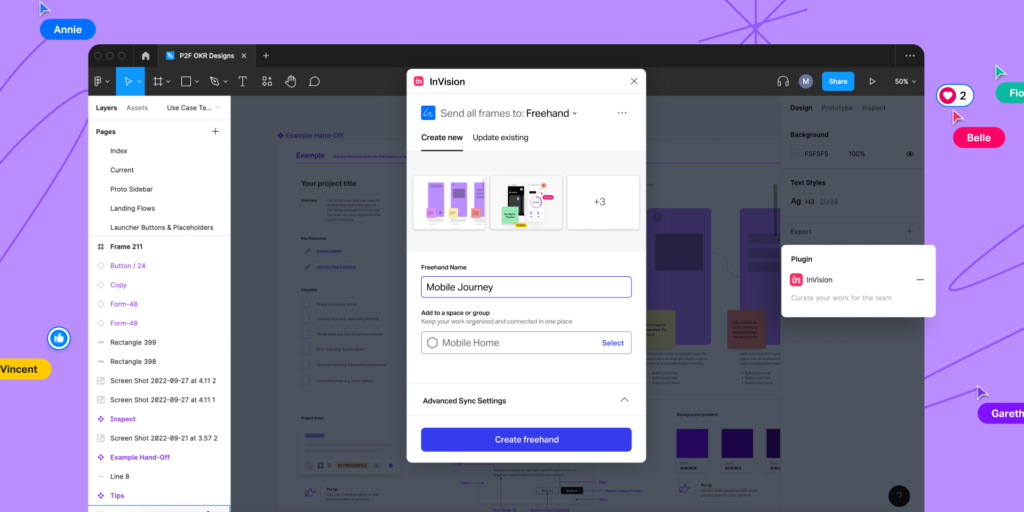
InVision supports smoother designer-to-developer handoff by allowing developers to view designs, inspect elements, and understand interactions. This improves clarity, reduces miscommunication, and speeds up the development cycle.
Who Should Use InVision
InVision is ideal for UI/UX designers, product managers, developers, startups, agencies, and enterprise teams. It works best for teams that prioritize visual collaboration, feedback-driven design, and prototyping as part of their product development process.
Benefits of Using InVision
Using InVision helps teams prototype faster, collaborate better, and make informed design decisions. It improves communication between designers and stakeholders, reduces design revisions, and enhances the overall product quality.
Why InVision Matters in Modern Design
In today’s fast-paced digital environment, tools like InVision play a key role in user-centered design. By enabling early testing, clear communication, and strong collaboration, InVision helps teams deliver intuitive, user-friendly digital products with confidence.
Conclusion
In modern product design, design systems are essential for scalability and efficiency. InVision helps teams move away from scattered design files and adopt a structured, organized, and professional design workflow. This results in faster releases, better user experiences, and stronger brand identity.
InVision is more than just a prototyping tool—it is a collaboration platform for digital product design. From interactive prototypes to real-time feedback and brainstorming, InVision supports teams at every stage of the design process, making it a trusted solution for creating better user experiences.
#DesignCollaboration #TeamCollaboration #RemoteTeams#DesignWorkflow #CreativeTeams #DigitalCollaborationUIUX#UXUI#Prototyping#Carrerbook#Anslation#Wireframing#UserExperience #ProductDesign #InteractionDesign
Latest Posts:
- Agentic AI Explained: Why This Technology Changes Everything

- Agentic AI Breakthrough: The Future of Self-Acting AI Systems

- AI Innovation in 2026: Trends That Will Change the World

- AI Innovation in Business: How Companies Are Automating Growth

- What Happened in the Microsoft Outage? CrowdStrike Issue Breakdown & Solutions
- Apple TV Service Down: Check Outage Status & How to Resolve It