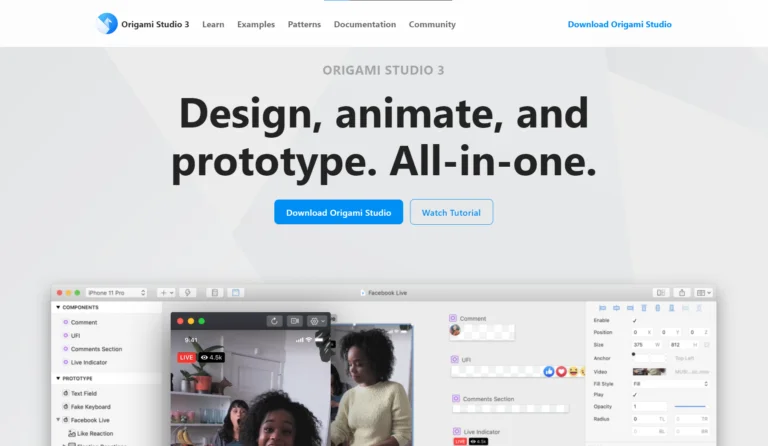
Origami Studio is an advanced UI/UX prototyping tool developed by Meta (formerly Facebook) that allows designers to create high-fidelity, interactive, and dynamic prototypes. It is especially known for building realistic app interactions, complex animations, and micro-interactions that closely mirror real product behavior. Origami Studio is widely used by product designers working on sophisticated mobile and digital experiences.
Understanding Origami Studio
Origami Studio is designed for designers who want more control over interactions than basic prototyping tools offer. Instead of simple screen-to-screen transitions, Origami enables designers to define logic-based behaviors, gestures, and animations. This makes prototypes feel closer to a working app, helping teams test and refine user experience before development.
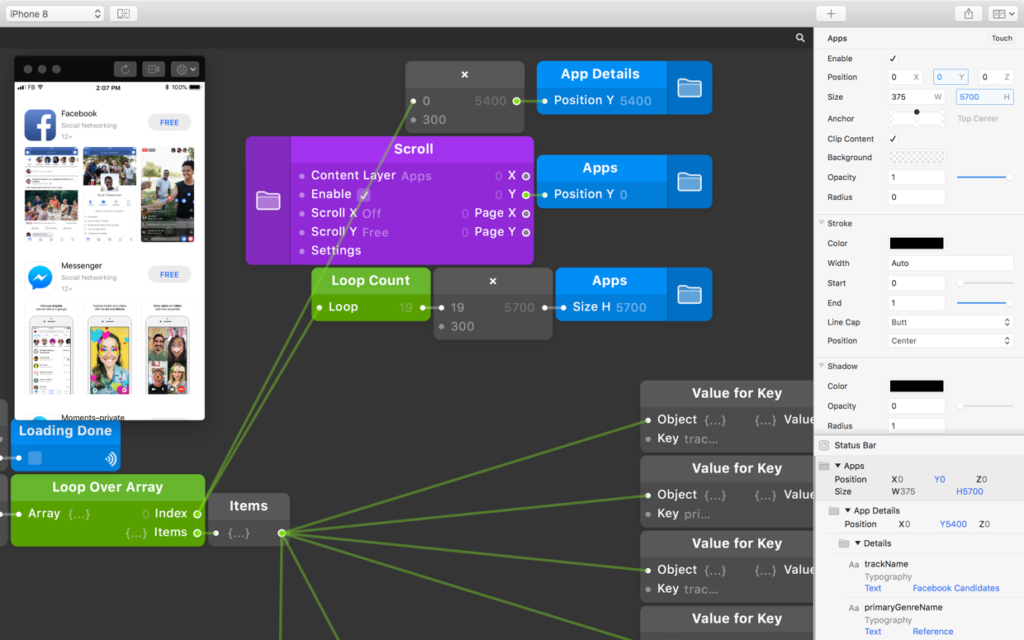
Origami Studio uses a visual patch-based system where designers connect different interaction elements using logic blocks. These patches control animations, gestures, transitions, and real-time responses to user actions. While it has a learning curve, it gives designers precise control over how interfaces behave, making it ideal for advanced prototyping.
Component
Purpose
Example Use
Patches
Logic blocks that control interactions
Linking gestures to animations
Inputs
User actions or data inputs
Touch, scroll, or tap events
Outputs
Visual or motion responses
Animations, transitions
Layers
Imported design elements
Buttons, icons, cards
Preview Window
Shows live interaction behavior
Real-time testing
Interactive Prototyping Capabilities
One of Origami Studio’s strongest advantages is its ability to create deeply interactive prototypes. Designers can simulate scrolling effects, swipe gestures, drag interactions, physics-based motion, and dynamic transitions. These interactions help teams understand how users will experience the final product in real-world conditions.
Realistic Animations & Micro-Interactions
Origami Studio excels at building smooth animations and micro-interactions such as button feedback, transitions, loading effects, and motion responses. These subtle details play a critical role in user engagement and usability, and Origami allows designers to fine-tune them with accuracy.
Design Integration & Workflow
Origami Studio integrates well with design tools like Sketch and Figma, allowing designers to import visual assets and focus on interaction design. This separation of visual design and interaction logic helps teams maintain clean workflows and efficient collaboration.
With Origami Studio, prototypes can be tested on real devices, making user testing more effective. Designers can observe how users interact with gestures, transitions, and animations, helping teams identify usability issues early and reduce development risks.
Who Should Use Origami Studio
Origami Studio is best suited for experienced UI/UX designers, product designers, and interaction designers who need advanced prototyping capabilities. It is particularly popular in teams building complex mobile apps, social platforms, and data-driven interfaces.
Benefits of Using Origami Studio
Using Origami Studio helps teams create realistic product experiences, validate interaction ideas, and communicate design intent clearly to developers. It bridges the gap between static designs and real-world behavior, leading to better design decisions and higher-quality products.
High-Fidelity Interactive Prototypes Origami Studio allows designers to create highly realistic and interactive prototypes that closely simulate real app behavior. This helps teams experience the product before development begins.
Advanced Interaction Control Designers get precise control over gestures, animations, and logic-based interactions, making it possible to design complex user flows that simple prototyping tools cannot handle.
Realistic User Experience Testing Prototypes built in Origami Studio can be tested on real devices, enabling teams to observe natural user behavior and identify usability issues early.
Powerful Micro-Interactions & Animations Origami excels at creating smooth animations and micro-interactions such as button feedback, transitions, scrolling effects, and motion responses that enhance user engagement.
Improved Design-to-Development Communication Detailed prototypes help designers clearly communicate interaction logic and motion behavior to developers, reducing misunderstandings and rework.
Logic-Based Prototyping System The visual patch editor allows designers to build rule-based and condition-driven interactions, making prototypes dynamic rather than static.
While powerful, Origami Studio has a steeper learning curve compared to simpler tools. It is not ideal for quick wireframes or basic prototypes. However, for advanced interaction design, its capabilities are unmatched.
Why Origami Studio Matters in Modern UI/UX Design
In today’s experience-driven digital world, users expect smooth, intuitive, and responsive interfaces. Origami Studio empowers designers to test and perfect these experiences before development, making it a valuable tool for modern, user-centered product design.
Origami Studio Workflow
Stage
What Happens in Origami Studio
Why It Matters
Design Import
UI designs are imported from tools like Figma or Sketch into Origami Studio.
Keeps visual design and interaction design connected.
Layer Mapping
Design layers are identified and mapped for interaction control.
Enables precise control over individual UI elements.
Patch Editor Setup
Designers use the visual patch editor to connect logic blocks.
Creates rule-based, dynamic interactions.
Gesture Definition
Gestures like tap, swipe, drag, and scroll are defined.
Simulates real user behavior accurately.
Animation Control
Motion, transitions, easing, and timing are adjusted.
Produces smooth, realistic animations.
Logic & Conditions
Interaction logic is set using conditions and inputs.
Makes prototypes responsive and intelligent.
Live Preview
Prototypes are previewed instantly within the tool.
Origami Studio is a powerful interactive prototyping tool for designers who want precision, realism, and control. While it requires time to master, it enables the creation of highly realistic prototypes that elevate the quality of digital products. For teams focused on advanced UI interactions and polished user experiences, Origami Studio is a strong choice.