
Adobe XD is a powerful UI/UX design and prototyping tool developed by Adobe to help designers create modern, user-friendly digital experiences. It is widely used for designing websites, mobile apps, dashboards, and interactive prototypes, all within a single, streamlined platform. Adobe XD focuses on speed, simplicity, and collaboration, making it a reliable choice for both beginners and professional designers.
Understanding Adobe XD in UI/UX Design
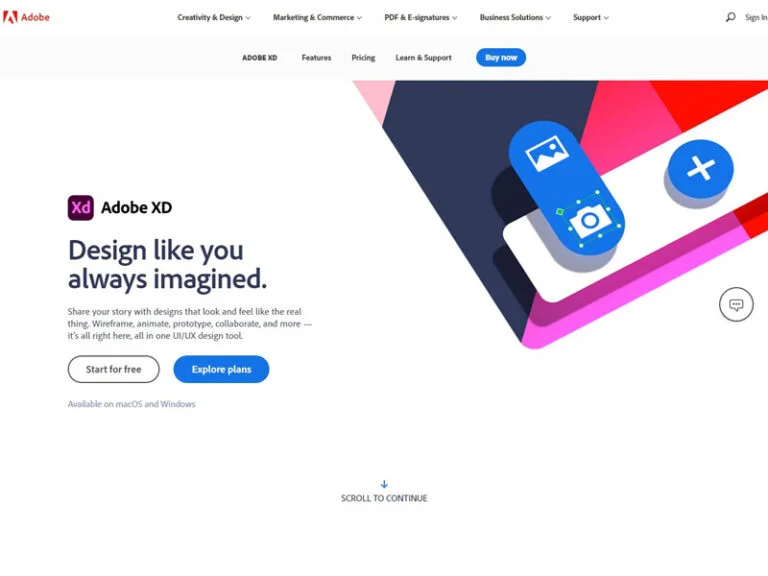
Adobe XD allows designers to design, prototype, share, and collaborate without switching between multiple tools. From the early wireframing stage to final interactive prototypes, everything can be managed in one workspace. This reduces workflow complexity and helps teams move faster from idea to execution.
Unlike traditional graphic design software, Adobe XD is built specifically for experience design, meaning it prioritizes user flows, interactivity, and usability rather than static visuals alone.
Core Design Capabilities
Adobe XD offers a clean and intuitive design interface that supports vector-based design, ensuring layouts remain sharp across all screen sizes. Designers can easily create responsive layouts using artboards tailored for mobile, tablet, and desktop screens.
Reusable components and styles help maintain visual consistency across large projects. When a design element is updated, changes automatically apply everywhere it is used, saving time and minimizing errors.
Prototyping and Interaction Design
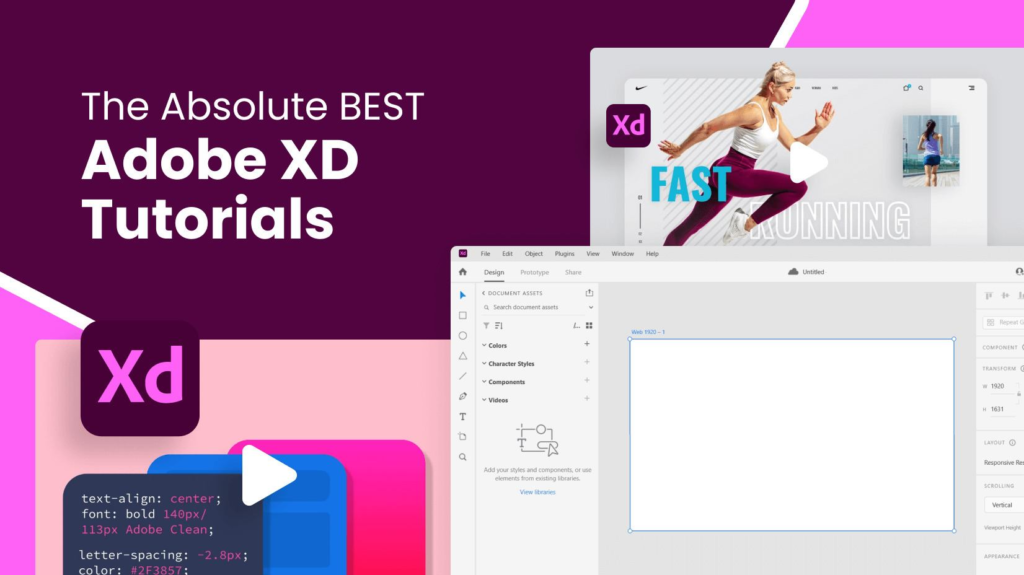
One of Adobe XD’s strongest features is its interactive prototyping system. Designers can link screens together, add transitions, animations, and gestures, and simulate real user interactions. This makes it easy to visualize how an app or website will behave before development begins.
Prototypes can be previewed instantly on desktop or mobile devices, allowing designers to test usability and flow in real time.
Collaboration and Feedback
Adobe XD supports real-time collaboration, enabling multiple designers to work on the same project simultaneously. This is especially useful for remote teams and agencies.
Designs can be shared through cloud links, allowing stakeholders and clients to view, comment, and provide feedback directly on the design. This keeps communication centralized and reduces long feedback loops.
Integration with Adobe Ecosystem
As part of Adobe Creative Cloud, Adobe XD integrates smoothly with tools like Photoshop, Illustrator, and After Effects. Designers can import assets, edit graphics, and maintain consistency across platforms without friction.
Plugins further extend Adobe XD’s functionality, supporting features like icon libraries, UI kits, user testing tools, and animation enhancements.
- Seamless Creative Cloud Connection
Adobe XD works smoothly with Adobe Creative Cloud, allowing designers to access shared libraries, assets, and cloud documents across Adobe tools. - Easy Asset Import from Photoshop & Illustrator
Designers can directly import files from Adobe Photoshop and Adobe Illustrator while preserving layers, vectors, and image quality. - Consistent Design with Creative Cloud Libraries
Colors, character styles, icons, and components saved in Creative Cloud Libraries can be reused across projects, ensuring strong brand consistency. - Smooth Workflow Between Design Tools
Graphics created in Illustrator or image edits done in Photoshop can be updated quickly inside Adobe XD without restarting the design process. - Plugin Support from Adobe & Third Parties
Adobe XD supports a wide range of plugins that enhance productivity, such as UI kits, icon packs, animation tools, and design system utilities.
User Testing and Developer Handoff
Adobe XD simplifies the handoff process between designers and developers. Design specs, measurements, colors, fonts, and assets can be accessed through shared links, reducing misunderstandings and development delays.
Interactive prototypes also support user testing, helping teams validate design decisions before moving into development.
| Design Capability | Description | How It Helps Designers |
|---|---|---|
| Vector-Based Design | Uses scalable vector graphics to create sharp, high-quality interfaces across all screen sizes. | Ensures designs look clear and professional on mobile, tablet, and desktop devices. |
| Responsive Artboards | Predefined and custom artboards for different devices and screen resolutions. | Makes it easy to design layouts optimized for multiple platforms. |
| Repeat Grid | Allows designers to duplicate elements like lists, cards, and galleries instantly. | Saves time and keeps spacing and alignment consistent. |
| Components & States | Reusable components with multiple states such as hover, active, or disabled. | Maintains design consistency and simplifies updates across projects. |
| Design Tokens (Styles) | Centralized management of colors, fonts, and character styles. | Helps maintain brand consistency and reduces design errors. |
| Auto-Layout & Alignment Tools | Smart alignment and spacing tools for precise layouts. | Improves visual balance and speeds up design workflows. |
| Asset Management | Central place to store icons, images, and UI elements. | Keeps files organized and improves team collaboration. |
| Typography Controls | Advanced text styling including line spacing, tracking, and font management. | Ensures readable, well-structured UI text. |
Who Should Use Adobe XD?
Adobe XD is suitable for:
- UI/UX designers building websites and mobile apps
- Product designers creating interactive user journeys
- Startups and agencies needing fast design workflows
- Beginners learning UI/UX design with an easy-to-use tool
Its balance of simplicity and professional features makes it accessible without compromising on quality.
Why Adobe XD Remains a Valuable Design Tool
Adobe XD continues to be valued for its speed, simplicity, and seamless collaboration. It reduces the gap between design and development while helping teams deliver user-centric experiences efficiently. For designers already working within the Adobe ecosystem, it offers a familiar yet specialized environment for UI/UX work.
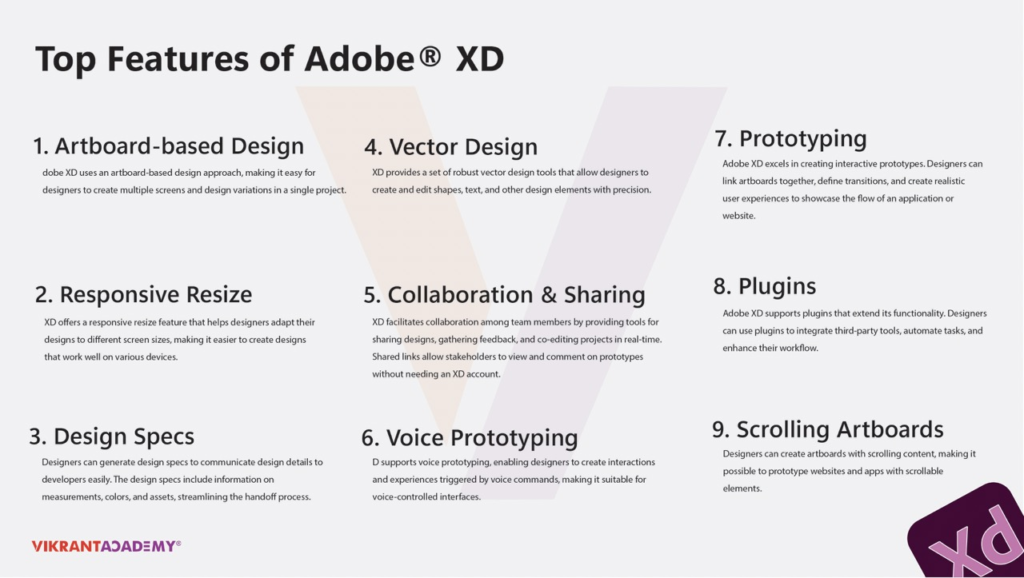
Adobe XD is more than just a design tool—it is a complete UI/UX solution that supports creativity, collaboration, and usability. Whether you are designing your first app interface or managing complex product designs, Adobe XD provides the tools needed to turn ideas into engaging digital experiences.
#AdobeXD #AdobeXDTips #AdobeDesign #AdobeCreativeCloud #UXDesign #UIDesign #UIUX #UXDesigner #ProductDesigner #Prototyping #Carrerbook#Anslation#Wireframing #InteractionDesign #DesignSystems #DigitalDesign #DesignWorkflow #DesignTools