
In today’s fast-paced digital world, speed and clarity are essential when designing user experiences. Before investing time and resources into high-fidelity designs, teams need a simple way to visualize ideas, test concepts, and align stakeholders. This is where Balsamiq Wireframes stands out. Known for its sketch-style interface and intuitive workflow, Balsamiq has become one of the most trusted tools for fast UI/UX prototyping.
This guide explores how Balsamiq works, its core features, benefits, and why it remains a favorite among designers, product managers, and developers.
What Is Balsamiq Wireframes?
Balsamiq Wireframes is a low-fidelity wireframing and prototyping tool designed to help teams quickly create visual layouts of websites, mobile apps, and software interfaces. Its hand-drawn style encourages focus on structure and functionality rather than visual polish, making it ideal for early-stage design.
Instead of worrying about colors, fonts, or animations, users concentrate on user flow, content placement, and interaction logic. This approach leads to faster feedback and better decision-making.
Why Balsamiq Is Perfect for Fast UI/UX Prototyping
Speed is at the heart of Balsamiq. The tool is built to remove friction from the design process and allow ideas to flow freely.
Balsamiq enables designers to transform rough concepts into clear wireframes within minutes. The drag-and-drop components, simple interface, and ready-made UI elements eliminate unnecessary complexity. As a result, teams can focus on solving user problems instead of learning complicated software.
Its low-fidelity nature also makes stakeholders more comfortable suggesting changes, since nothing looks “final.” This openness leads to stronger collaboration and better outcomes.
Core Features of Balsamiq Wireframes
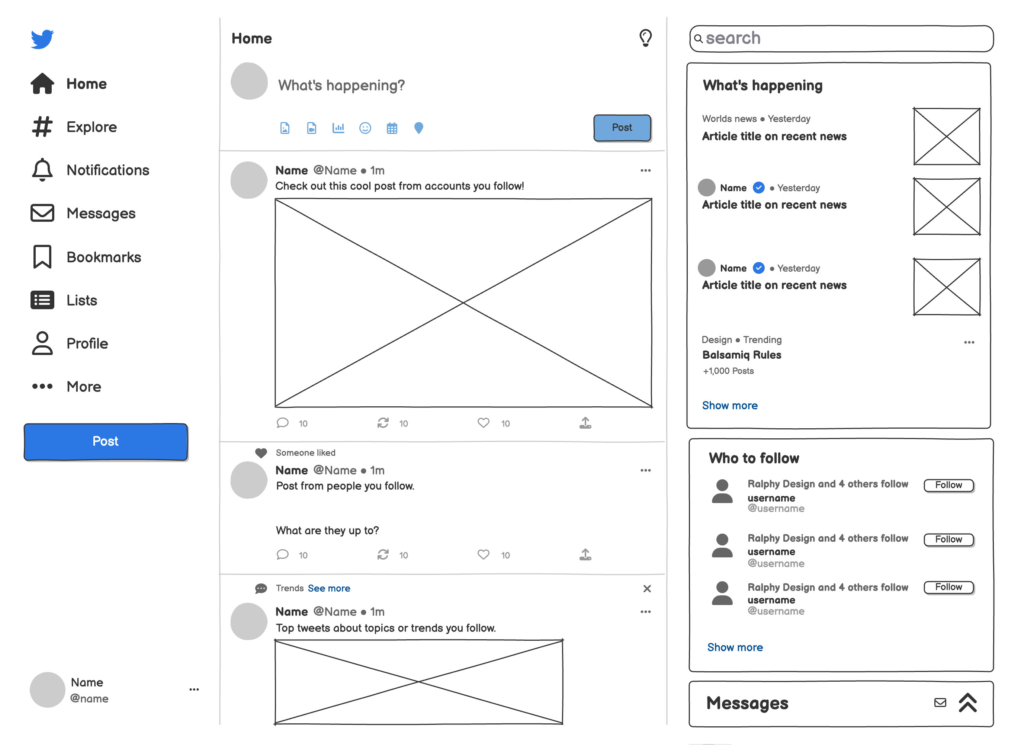
Sketch-Style Interface
Balsamiq’s hand-drawn look mimics a whiteboard sketch, helping teams stay in ideation mode. It prevents distractions and keeps discussions centered on usability and layout.
Drag-and-Drop UI Components
Users can quickly add buttons, text fields, menus, cards, forms, icons, and more. Everything is easy to resize and rearrange.
Reusable Symbols and Components
Common elements can be saved and reused across projects, ensuring consistency and saving time.
Interactive Prototypes
Wireframes can include basic interactions and links between screens, allowing teams to simulate user flows.
Cloud and Desktop Versions
Balsamiq is available as a cloud-based tool and a desktop application, offering flexibility for different workflows.
Collaboration and Feedback Tools
Teams can share projects, leave comments, and gather feedback directly on wireframes.
How Balsamiq Fits into the UX Design Process
Balsamiq works best in the early stages of design, but it supports multiple phases of the UX lifecycle.
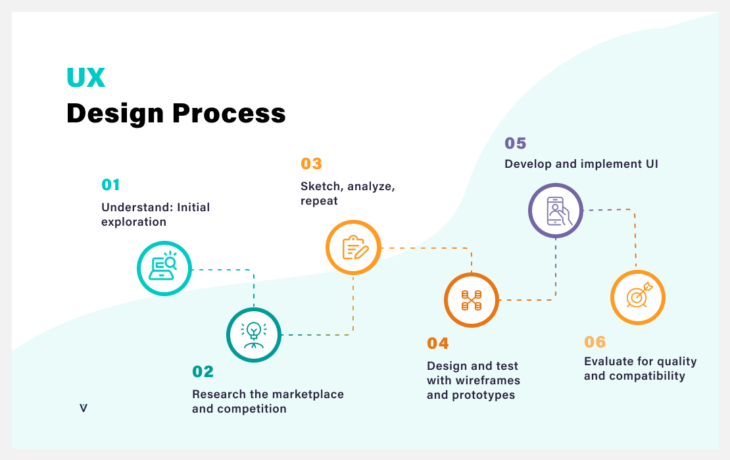
During research and ideation, designers sketch initial layouts based on user needs.
In the planning phase, wireframes help define structure and navigation.
Before development, teams use Balsamiq prototypes to validate flows and identify usability issues.
Because Balsamiq wireframes are easy to modify, iteration happens quickly and efficiently.
Benefits of Using Balsamiq Wireframes
One of the biggest advantages of Balsamiq is its simplicity. Even non-designers can understand and use the tool, making it perfect for cross-functional teams.
It reduces miscommunication by providing a clear visual reference.
It speeds up project timelines by allowing quick experimentation.
It lowers costs by catching problems early.
It supports better collaboration between designers, developers, and stakeholders.
Overall, Balsamiq improves clarity, efficiency, and confidence in design decisions.
Balsamiq for Beginners and Professionals
Beginners appreciate Balsamiq because it has almost no learning curve. You can start designing immediately without tutorials or complex settings.
Professionals value Balsamiq for its speed and reliability. Many experienced designers use it as their first step before moving to high-fidelity tools like Figma or Adobe XD.
This balance makes Balsamiq suitable for startups, agencies, enterprises, and individual creators alike.
Balsamiq vs High-Fidelity Design Tools
Balsamiq is not meant to replace tools that create polished UI designs. Instead, it complements them.
Balsamiq focuses on structure and flow.
High-fidelity tools focus on visuals and branding.
Using Balsamiq first leads to better high-fidelity designs later because the foundation is already strong.
Use Cases for Balsamiq Wireframes
- Website and mobile app planning
- Product feature brainstorming
- Client presentations
- User testing prototypes
- Internal documentation
In each case, Balsamiq helps teams move from idea to clarity faster.
Best Practices for Using Balsamiq Effectively
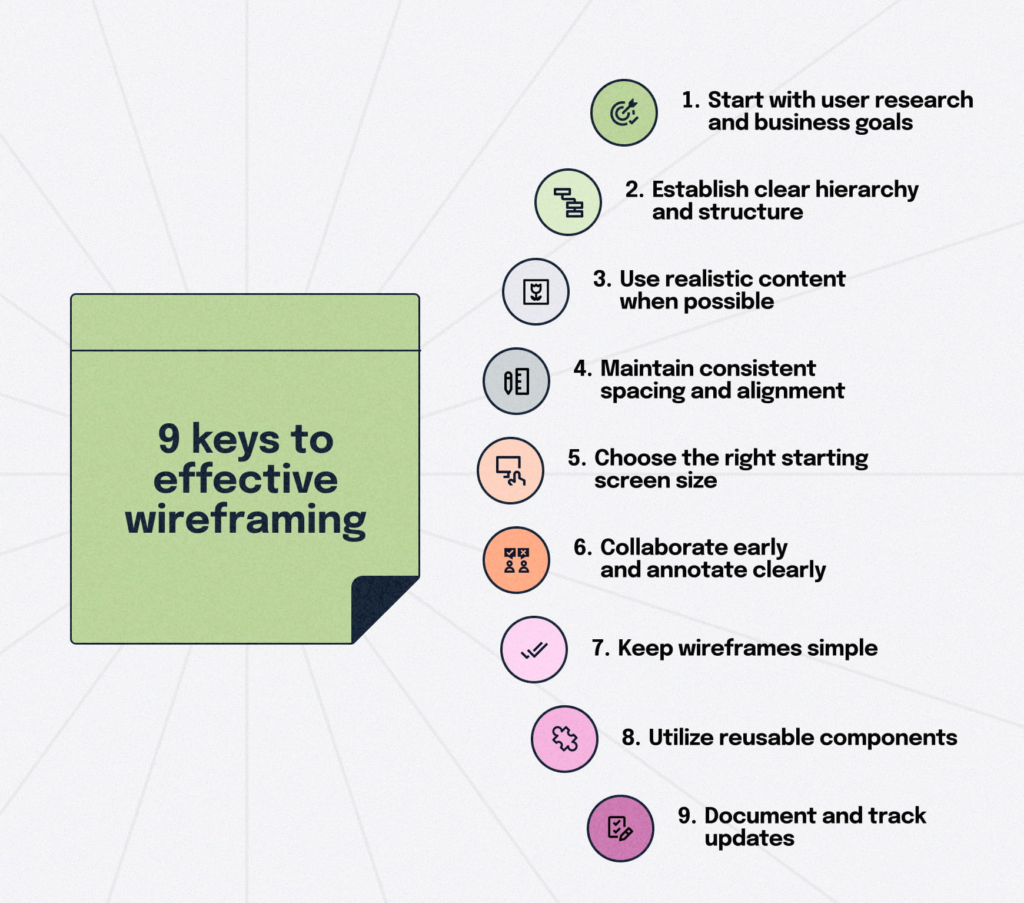
- Keep wireframes simple and uncluttered.
- Focus on user goals and tasks.
- Test early and iterate often.
- Use annotations to explain interactions.
- Combine Balsamiq with user feedback and research.
Following these practices ensures your wireframes communicate ideas clearly.
Is Balsamiq Worth It?
For anyone involved in UI/UX design or product development, Balsamiq is a valuable investment. Its emphasis on speed, simplicity, and usability makes it one of the best tools for early-stage prototyping.
If your goal is to design better experiences faster, Balsamiq Wireframes is a smart choice.
Final Thoughts
Balsamiq Wireframes proves that powerful design tools do not need to be complicated. By focusing on clarity over complexity, it empowers teams to build strong foundations for digital products. Whether you are a beginner or a seasoned designer, Balsamiq can transform the way you approach UI/UX prototyping.
#Balsamiq #BalsamiqWireframes #UIUXDesign #Wireframing #PrototypingTools #UXDesignTools #UIDesign #UserExperience #UserInterface #DesignWorkflow #ProductDesign #WebDesign #AppDesign #DesignThinking #UXPrototyping #Carrerbook#Anslation#LowFidelityDesign #DesignInspiration #UXUI #DesignCommunity #DigitalDesign