- Introduction
- 1. Adobe Creative Cloud 2026 — A Unified Platform
- 2. Photoshop 2026 — Next-Level Editing
- 3. Illustrator 2026 — Advanced Vector Design
- 4. Premiere Pro & After Effects 2026 — Video Creation Made Easy
- 5. Adobe Firefly & AI Tools — Future of Creativity
- 6. Cloud Collaboration & Teamwork
- 7. Pricing & Plans for 2026 Creators
- Adobe 2026: The Ultimate Guide for Creators
- Reference :
Adobe has been the go-to software suite for creators — from photographers, graphic designers, video editors, to digital artists. In 2026, Adobe has introduced new tools, AI integrations, and workflow improvements that make content creation faster, smarter, and more professional. Whether you are a beginner starting your first project or a professional upgrading your toolkit, this guide will help you understand everything Adobe 2026 has to offer.
Introduction
Content creation has never been more exciting or demanding. In 2026, Adobe is not just offering software — it’s offering an ecosystem for creators. From Photoshop and Illustrator to Premiere Pro, After Effects, and Adobe Firefly AI, every tool is designed to make creating visuals, videos, and digital art faster, smarter, and more intuitive. Whether you want to design eye-catching graphics, edit videos professionally, or explore AI-powered content creation, Adobe 2026 has something for everyone.
1. Adobe Creative Cloud 2026 — A Unified Platform
Adobe Creative Cloud remains the central hub for all Adobe apps, but in 2026 it is more integrated than ever. With cloud storage, automatic syncing, and AI-powered suggestions, creators can work seamlessly across devices.
Key Highlights:
- Cross-device workflow → Start a project on desktop, continue on tablet or smartphone
- Cloud Libraries → Access fonts, colors, and assets instantly
- AI integration → Smart suggestions for layouts, color palettes, and edits
Beginners can now explore multiple tools without worrying about file management or compatibility issues.
2. Photoshop 2026 — Next-Level Editing
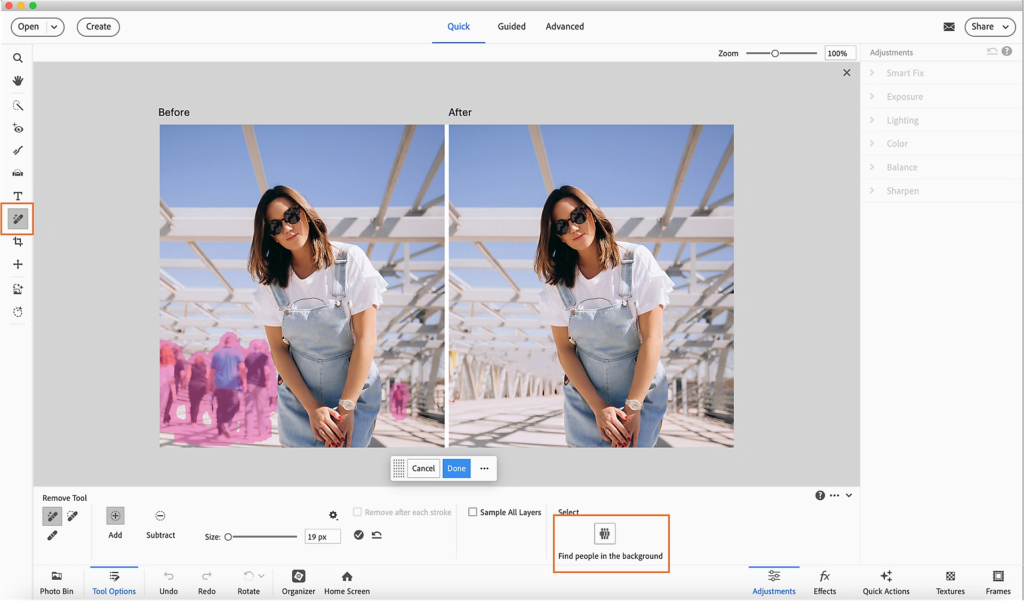
Photoshop 2026 comes with AI-driven features that simplify complex editing tasks. Smart selection tools, automatic background removal, and content-aware fills make designing fast and intuitive.
Why Creators Love It:
- AI Magic Tools → Auto-select, object removal, and image enhancements
- Neural Filters → Change facial expressions, style, or color in seconds
- Beginner-Friendly Templates → Quickly create social media posts, banners, and designs
Even beginners can produce professional-quality graphics in minutes without advanced skills.
3. Illustrator 2026 — Advanced Vector Design
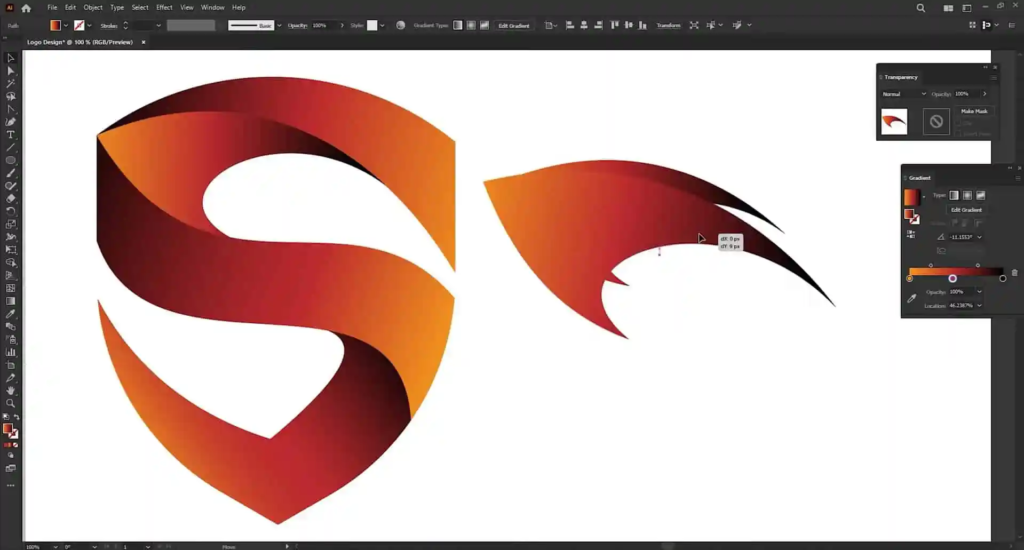
Illustrator 2026 focuses on precision and creativity for graphic designers. New AI-powered drawing tools assist in logo creation, typography, and vector illustration.
Key Features:
- Smart Shape Suggestions → AI recommends shapes and curves for smoother design
- Enhanced Typography → Variable fonts and auto-adjusting spacing
- Seamless Export → Optimized for web, print, and social media
Illustrator is perfect for beginners and pros who want pixel-perfect, scalable designs.
4. Premiere Pro & After Effects 2026 — Video Creation Made Easy
Video content is booming, and Adobe 2026 makes editing faster and smarter. Premiere Pro now integrates AI scene editing, auto-captions, and color correction. After Effects offers motion graphics templates and AI-assisted animation.
Highlights:
- Auto Scene Detection → Cuts clips automatically for faster editing
- AI Color Grading → Professional look without manual tweaks
- Motion Templates → Quick animations for social media and marketing
Beginners can produce high-quality videos without spending hours learning complex workflows.
5. Adobe Firefly & AI Tools — Future of Creativity
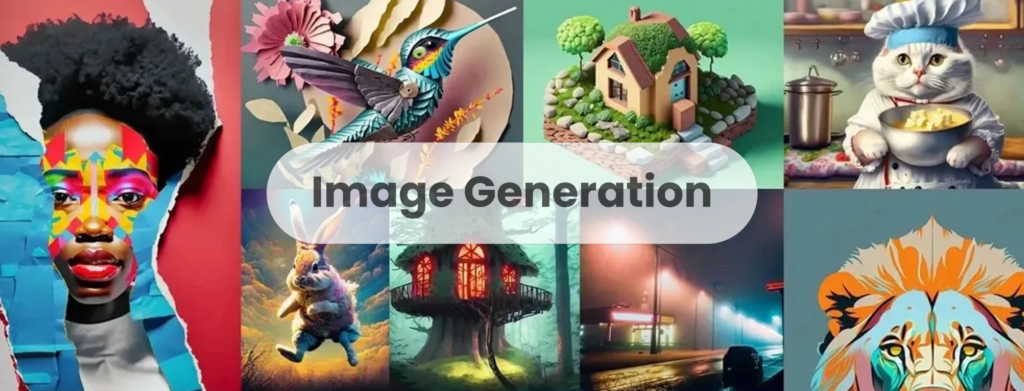
Adobe 2026 fully integrates AI tools like Firefly, helping creators generate images, art, and designs instantly from text prompts.
Benefits for Creators:
- Text-to-Image Generation → Generate visuals from descriptions
- AI-Powered Enhancements → Improve quality, remove noise, and enhance resolution
- Time-Saving → AI assists with repetitive tasks, leaving more time for creativity
Perfect for both beginners and professionals who want to experiment and speed up their workflow.
6. Cloud Collaboration & Teamwork
Adobe 2026 emphasizes collaboration with cloud-based sharing and commenting. Teams can work together in real-time, making content creation faster and error-free.
Features:
- Shared Libraries → Central assets for teams
- Live Collaboration → Comment, edit, and approve directly in the cloud
- Version History → Track edits and restore previous versions
Ideal for beginners joining teams or freelancers working with clients.
7. Pricing & Plans for 2026 Creators
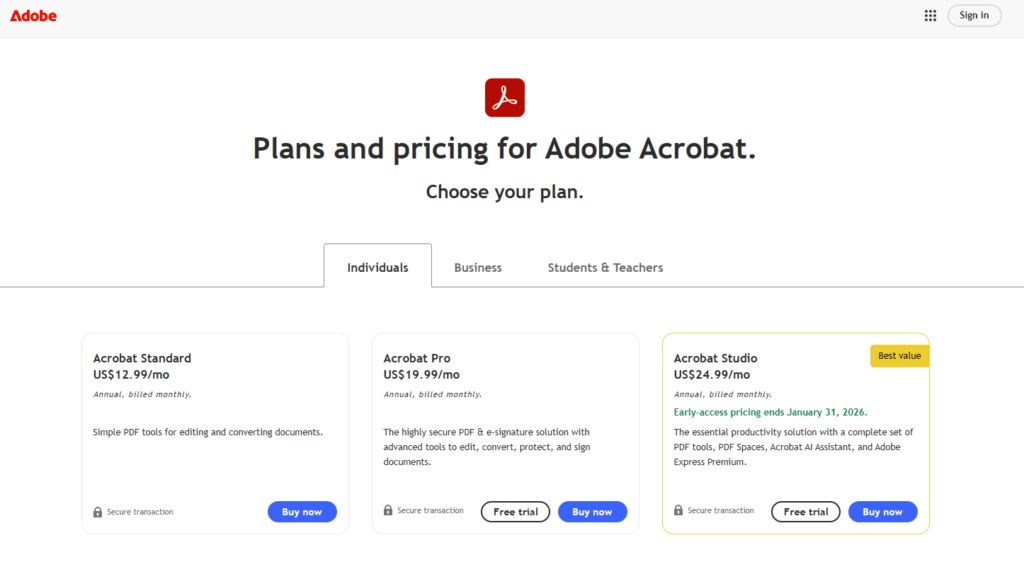
Adobe offers flexible Creative Cloud subscriptions, including:
- Individual Plans → All apps or single app subscription
- Student & Teacher Plans → Discounts up to 60%
- Business & Team Plans → Collaboration tools, asset management
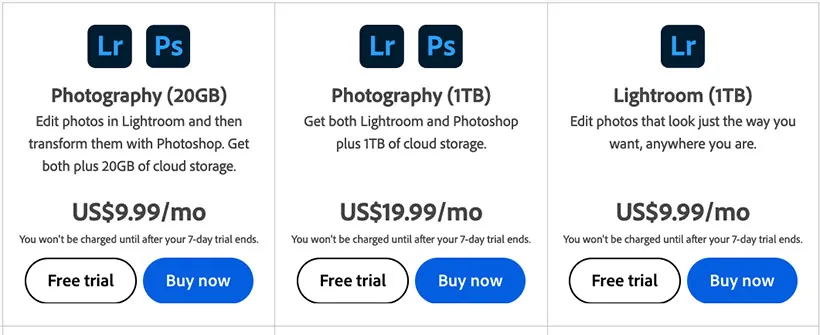
Beginners can start small and scale up as their skills grow.
Adobe 2026: The Ultimate Guide for Creators
| Feature / Update | Description (What’s New) | Official Link / Source |
|---|---|---|
| Creative Cloud AI Innovations | Over 100+ generative AI enhancements across Photoshop, Premiere Pro, Illustrator, and Express — faster workflows, smarter tools, Firefly-powered features, and Text to Pattern and Media Intelligence capabilities. (news.adobe.com) | Adobe Creative Cloud Innovations (Press) (news.adobe.com) |
| Firefly All-in-One AI App | Firefly combines Adobe’s generative models (Image, Video, Audio, Vector) plus partner models including Google Cloud & OpenAI — for unified AI content creation. Firefly Boards adds collaborative AI ideation. (news.adobe.com) | Firefly AI Platform (Press) (news.adobe.com) |
| Photoshop Elements & Premiere Elements 2026 | New AI-powered tools like text-to-image generation, Insert Object, advanced Remove tool, and improved restore/photo repair. Premiere Elements gains better stabilization and cloud workflow. (Adobe Blog) | Adobe Blog – 2026 Elements Features (Adobe Blog) |
| Generative AI Features (Creative Cloud Apps) | Description of Generative Fill, Expand, Image, Similar, Remove tool, and Generative Upscale for Photoshop, plus AI tools in Illustrator, Express, and others — some features consume credits based on plan. (Adobe Help Centre) | Adobe Help – Generative AI Features (Adobe Help Centre) |
| Creative Cloud Pro Enhancements | Consolidated Creative Cloud Pro plan with performance boosts (up to 5× faster effects in Illustrator), improved video search in Premiere Pro, and access to large font libraries and cloud assets. (Adobe Blog) | Adobe Blog – Creative Cloud Pro (Adobe Blog) |
| Adobe Fonts Expansion | Adobe added 1500+ iconic typefaces (e.g., Helvetica, Gotham, Times New Roman) directly to Creative Cloud — no separate licensing needed. (The Verge) | News on Fonts Integration (The Verge) |
| AI Assistants & ChatGPT Integration (Blog Reports) | Adobe is evolving tools to work with AI assistants and exploring ChatGPT integration for Adobe apps like Express — letting users control editing with conversational AI. (Reuters) | Reuters – AI Assistants Integration (Reuters) |
| Firefly Video Editing & Upscaling | Web-based Firefly video editor (beta) with timeline, multi-clip editing, and third-party AI models (Topaz Astra upscaling), plus 4K export capabilities. (Digital Camera World) | Firefly Video Editor News (Digital Camera World) |
| Firefly Image Model & Partner Models | New Firefly Image Model 4/4 Ultra, Video Model, and partner model choices (Google Nano Banana, Ideogram, Runway) for richer, high-quality generative assets. (news.adobe.com) | Firefly AI Press – Models (news.adobe.com) |
Conclusion
Adobe 2026 is more than just software; it’s a complete creative ecosystem. From AI-powered tools to seamless cloud collaboration, it empowers beginners and professionals alike to create, experiment, and publish high-quality content faster than ever. If you’re a creator looking to stay ahead in 2026, Adobe’s suite is your ultimate toolkit.
Adobe 2026 offers beginners and pros a complete creative toolkit with AI-powered tools, cloud collaboration, and professional-grade software for all types of digital content creation.
#Adobe2026 #AdobeCreativeCloud #AdobeFirefly #CreativeCloud2026 #Photoshop2026 #PremierePro2026 #Illustrator2026 #CarrerbookAnslation#AdobeExpress #AdobeAI #GenerativeAI #ContentCreators #DigitalCreation #GraphicDesignCommunity #VideoEditing #CreativeWorkflow #DigitalArtists #DesignTools