
MySQL Database Manager is a tool or interface that allows users to create, organize, and manage MySQL databases efficiently. MySQL itself is one of the most widely used open-source relational database management systems (RDBMS), powering websites, applications, and business systems globally.
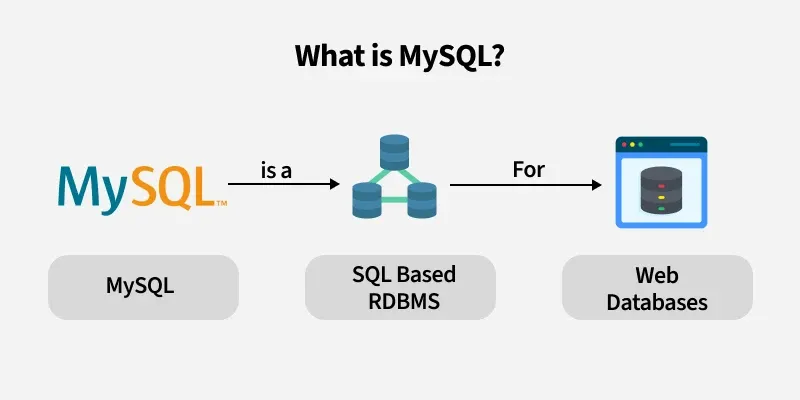
With MySQL Database Manager, you can handle complex databases without relying solely on command-line commands, making it easier for developers, database admins, and businesses to manage data. In simple terms, it’s the control center for all your MySQL databases, providing a clear view of tables, records, users, and system performance.
Why MySQL Database Manager Matters in 2026
In 2026, data management is critical for every business and website. With growing amounts of data and online transactions, efficient database management ensures speed, security, and reliability.
Here’s why it’s important:
- Data security: Protect sensitive information from unauthorized access
- Easy backups & restores: Safeguard against data loss or corruption
- User management: Assign permissions to control who can view or modify data
- Optimized performance: Monitor and optimize queries to ensure fast response times
- Error detection: Quickly identify and fix issues before they affect users
Key Features of MySQL Database Manager
1. Database Creation & Organization
With MySQL Database Manager, you can create multiple databases effortlessly. The tool allows you to organize tables, views, and relationships without manually writing complex SQL commands. This is especially helpful for developers managing large projects or multiple applications, as it provides a clear visual structure of all databases, making it easier to navigate, manage, and maintain your data efficiently.
2. Table & Record Management
Managing tables and records becomes simple with MySQL Database Manager. You can add, edit, or delete tables and records in just a few clicks, saving time and reducing errors. The tool supports multiple data types such as INT, VARCHAR, DATE, and more, allowing flexibility for any kind of data storage. Additionally, it enables bulk data import and export, which accelerates operations for large datasets and simplifies updates, ensuring your databases remain accurate and up-to-date.
3. User & Permission Management
Security and access control are crucial for any database. MySQL Database Manager allows you to control who can access your databases by assigning read, write, or admin permissions. This prevents unauthorized modifications and ensures sensitive data stays safe. You can also monitor user activity, track changes, and detect suspicious behavior, providing an extra layer of security and accountability for your database environment.
4. SQL Query Execution
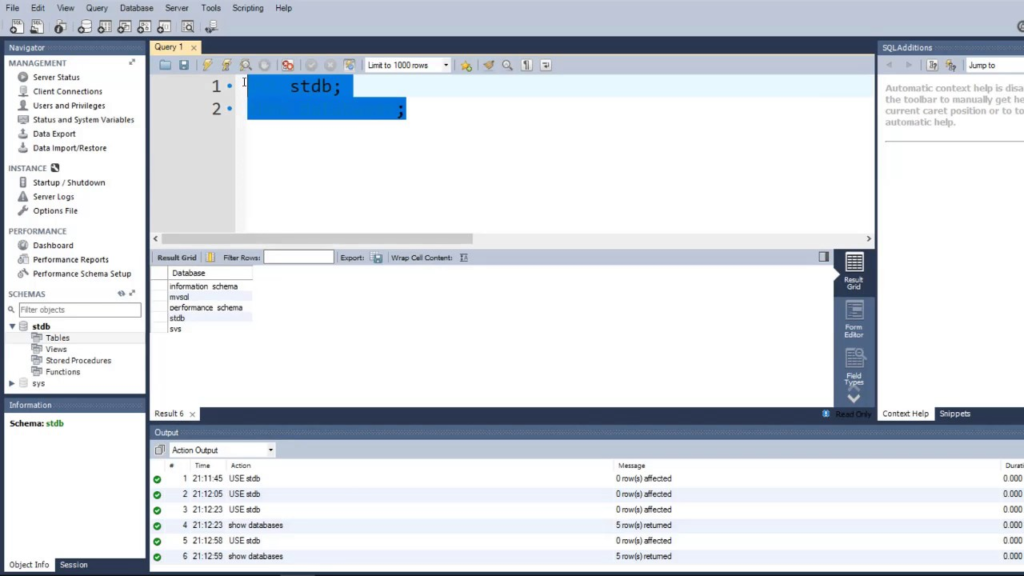
MySQL Database Manager provides an intuitive interface to run SQL queries directly, eliminating the need for complex command-line instructions. You can fetch data, filter records, and update entries quickly, while the tool also supports complex queries for advanced reporting and analytics. Frequently used queries can be saved for future use, improving workflow efficiency and allowing developers to perform database operations faster and more accurately.
5. Backup & Restore
Data loss can be catastrophic, which is why MySQL Database Manager offers robust backup and restore options. You can perform full or partial backups of databases to ensure critical information is never lost. One-click restore functionality allows you to recover data instantly, while scheduled automated backups remove the risk of human error. This makes managing large datasets safer and ensures business continuity even in emergencies.
6. Performance Monitoring & Optimization
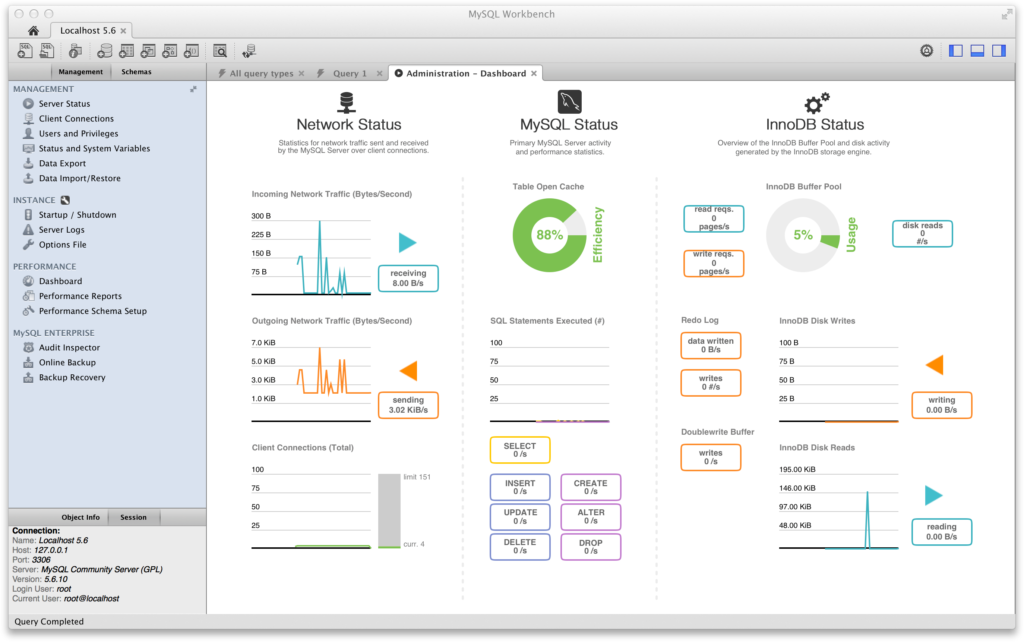
Maintaining a fast and responsive database is essential for websites and applications. MySQL Database Manager provides real-time performance monitoring, helping you identify slow queries and optimize them for better efficiency. It also allows you to check memory and CPU usage, preventing system overloads. By continuously monitoring performance metrics, you can maintain high-speed operations and ensure your applications run smoothly under all conditions.
7. Import/Export Tools
Moving data between servers, applications, or environments is easy with the import/export tools in MySQL Database Manager. You can export entire databases or specific tables in SQL or CSV formats, which is useful for backups, migrations, or sharing data. Large datasets can be imported quickly with minimal downtime, making database management more flexible and ensuring data consistency across platforms.
8. Security Features
Protecting your data is a top priority. MySQL Database Manager enhances database security with SSL connections that encrypt data transfers, preventing interception during communication. You can also implement firewall rules to restrict database access, limiting exposure to potential attacks. Additionally, audit logs track changes, giving you a clear record of who accessed or modified data. Together, these features provide a comprehensive security solution for managing sensitive information safely.
Benefits of Using MySQL Database Manager
Efficiency:
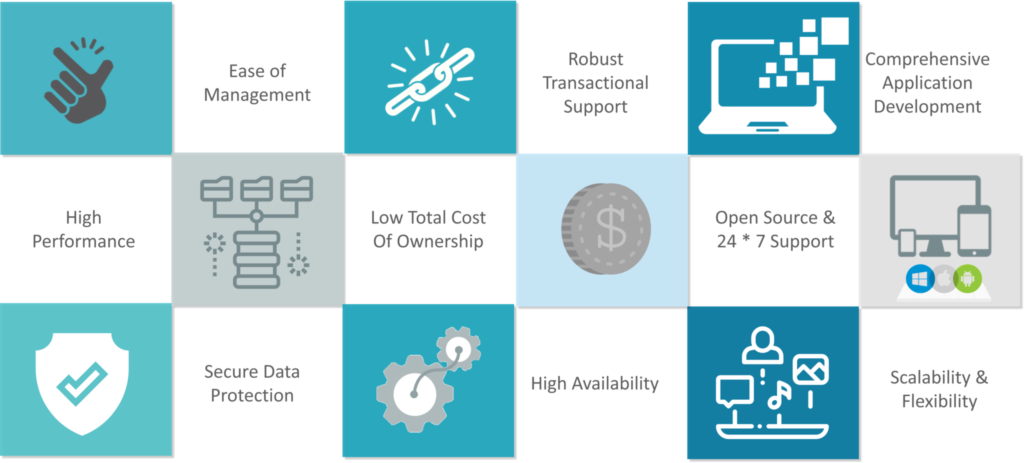
One of the biggest advantages of using a MySQL Database Manager is efficiency. It simplifies complex database operations, allowing developers and database administrators to handle multiple databases, tables, and queries without writing complicated SQL code from scratch. Tasks like creating relationships between tables, organizing views, or managing large datasets become faster and more intuitive, saving time and reducing errors.
Security:
Security is a critical concern for any database, and a MySQL Database Manager helps protect sensitive business and user data. Through features like user permission management, SSL encryption, firewall rules, and audit logs, you can control who accesses the data, prevent unauthorized modifications, and track activity for accountability. This ensures that both personal and business data remain safe from cyber threats or accidental loss.
Reliability:
MySQL Database Manager enhances reliability by offering robust backup and restore features. Full or partial backups can be scheduled automatically, ensuring that important data is always protected. One-click restore options allow quick recovery of information in case of accidental deletion or system failure, giving peace of mind that your databases will always remain available and consistent.
Accessibility:
Another key benefit is accessibility. Many MySQL Database Managers are either web-based or desktop applications, which means you can access and manage your databases from anywhere with an internet connection. Whether you are working remotely, on-site, or collaborating with a team, you can stay connected to your data without being tied to a specific device or location.
Time-saving :
Finally, using a MySQL Database Manager is time-saving. It automates repetitive tasks, reduces manual SQL coding, and provides intuitive tools for query execution, data import/export, and performance monitoring. This allows database administrators and developers to focus on more important tasks, like optimizing applications and improving performance, rather than getting bogged down by routine database management.
In 2026, managing your databases efficiently is more important than ever. A MySQL Database Manager allows businesses, developers, and tech enthusiasts to handle, secure, and optimize their data with ease. Whether you are running a small website or a large-scale application, these tools make database management faster, safer, and more reliable.
#MySQL #DatabaseManager #DataSecurity #SQLTools #WebDevelopment #CloudDatabase #DatabaseAdmin #DevTools #Tech2026 #Carrerbook#Anslation#DataManagement #SoftwareTools #CyberSecurity #Backups #ITSupport #Developers