
In today’s fast-moving digital world, productivity no longer depends on a single display. Professionals, students, designers, and remote workers increasingly rely on multi-screen setups to work faster and smarter. However, traditional dual-monitor desks are not always practical, especially for people who travel or work from different locations.
This is where a laptop screen extender becomes a game-changing solution.
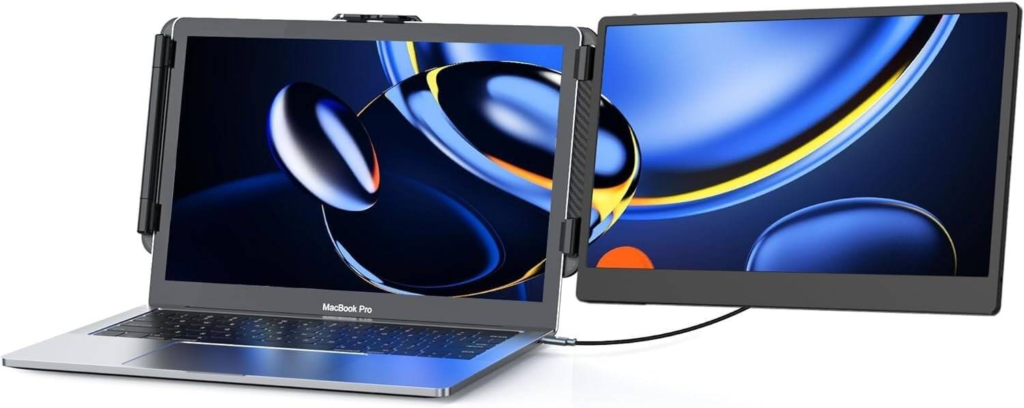
A laptop screen extender is a portable secondary display that attaches directly to your laptop, instantly turning it into a dual-screen workstation. It offers flexibility, efficiency, and convenience without requiring a bulky desktop monitor.
This guide explains everything you need to know about portable dual screens, including how they work, why they matter, what features to look for, and how they can transform the way you work.
What Is a Laptop Screen Extender?
A laptop screen extender is a slim, lightweight external monitor designed specifically to mount or connect to a laptop. Unlike traditional external monitors, extenders are optimized for portability and quick setup.
Most models attach magnetically or via a clip-on frame and connect using USB-C or HDMI. Once connected, the extender functions as a second display, allowing users to extend or mirror their screen.
With a laptop screen extender, you can view multiple applications simultaneously, compare documents side by side, or keep communication tools open while working.
In simple terms, it turns one screen into two — anywhere you go.
Why Portable Dual Screens Are in High Demand
Modern work demands multitasking. Switching between tabs and windows slows productivity and increases mental fatigue. A portable dual-screen setup solves this problem by giving you more visual space.
Key reasons why professionals choose laptop screen extenders include:
- Faster workflow and better focus
- Improved organization of tasks
- Reduced need to constantly minimize windows
- Greater comfort for long work sessions
Remote work, hybrid offices, and digital nomad lifestyles have fueled the popularity of these devices. People want desktop-level productivity in a mobile form factor.
How a Laptop Screen Extender Improves Productivity
Using two screens significantly changes how you interact with your computer.
With a laptop screen extender, you can:
- Keep email or chat open on one screen while working on the other
- Edit documents while referencing research material
- Run coding environments and documentation side by side
- Monitor dashboards while preparing reports
This setup reduces context switching, which is one of the biggest productivity killers.
Studies consistently show that multi-monitor users complete tasks faster and make fewer errors compared to single-screen users.
Who Should Use a Laptop Screen Extender?
Laptop screen extenders are versatile tools suitable for many users.
They are especially useful for:
Remote workers and freelancers
Managing multiple clients, tools, and communication channels becomes easier with two screens.
Business professionals
Great for presentations, spreadsheets, and video meetings.
Students and educators
Ideal for online classes, research, note-taking, and assignments.
Designers and creatives
Helpful for viewing design previews while editing.
Developers and IT professionals
Perfect for coding with documentation or testing environments visible.
Anyone who multitasks regularly can benefit from a portable dual-screen solution.
Key Features to Look for in a Laptop Screen Extender
Not all extenders are created equal. Choosing the right one depends on performance, compatibility, and build quality.
Display Quality
Look for Full HD (1920×1080) or higher resolution with good brightness and color accuracy. IPS panels are preferred for wider viewing angles and better color reproduction.
Connectivity Options
Most modern extenders support USB-C, which carries both power and video through one cable. Some models also include HDMI and USB-A for broader compatibility.
Compatibility
Ensure the extender supports your operating system, including Windows, macOS, ChromeOS, and sometimes Linux. Also verify that your laptop supports video output over USB-C.
Portability and Weight
A good laptop screen extender should be thin, lightweight, and easy to pack into a backpack.
Mounting Mechanism
Popular mounting styles include magnetic attachments, clip-on frames, or foldable stands. Choose a design that feels secure and easy to install.
Power Efficiency
Energy-efficient displays minimize battery drain, which is crucial when working on the go.
Types of Laptop Screen Extenders
Different users have different workspace requirements, which is why laptop screen extenders come in multiple designs. Understanding these types helps you choose the right solution based on your workflow, portability needs, and budget.
Single-Screen Extenders
Single-screen extenders are designed to add one additional display to your laptop, instantly transforming it into a dual-screen workstation.
These extenders usually attach directly to the back of the laptop screen or connect as a slim side-mounted panel. They are lightweight, compact, and ideal for users who want more screen space without increasing bulk.
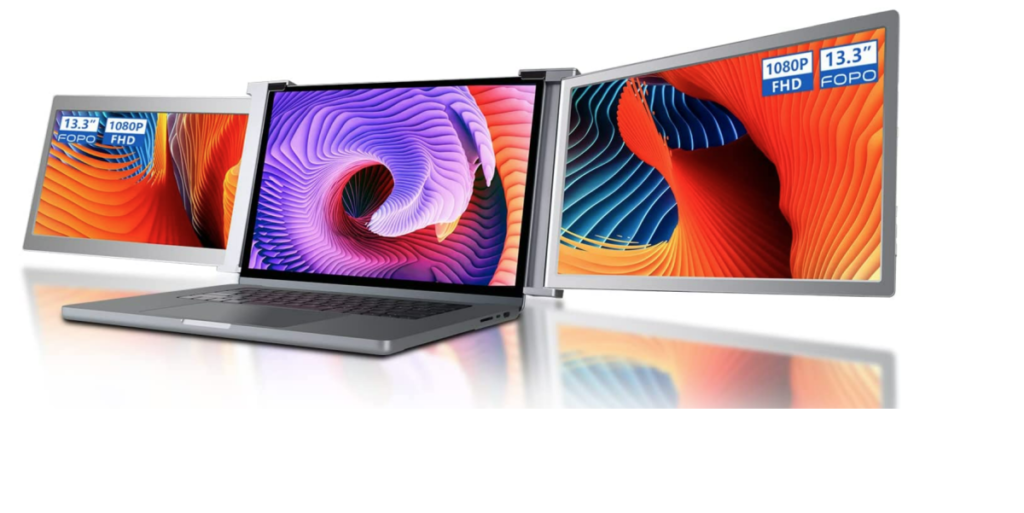
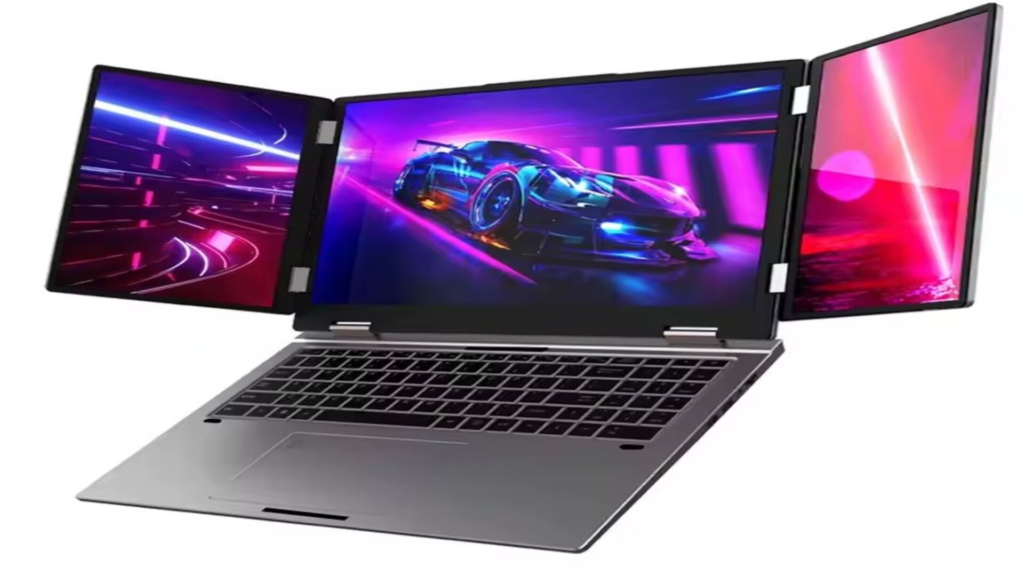
Dual-Screen Extenders
Dual-screen extenders provide two additional screens, creating a powerful triple-screen setup around your laptop.
These models often feature fold-out displays that extend from both sides of the laptop. They are designed for users who handle complex workflows and require multiple applications visible at the same time.
Standalone Portable Monitors
Standalone portable monitors function as independent external displays that connect to your laptop using a cable but do not physically attach to it.
These monitors sit beside your laptop on a desk or stand and offer greater flexibility in placement. Many models feature adjustable stands or protective covers that double as stands, allowing you to position the screen at a comfortable viewing angle.
Choosing the Right Option
Each type of laptop screen extender offers a unique combination of portability, screen size, and usability. Single-screen extenders are perfect for minimalists, dual-screen extenders suit power users, and standalone portable monitors work well for those who want flexibility and larger displays.
Laptop Screen Extender vs Traditional External Monitor
While desktop monitors offer larger screens, they lack mobility.
Laptop screen extenders excel in:
- Portability
- Fast setup
- Space-saving design
- Travel-friendly usage
Traditional monitors are better for permanent workstations, but extenders are ideal for flexible environments.
FAQs
What is a laptop screen extender?
A laptop screen extender is a portable external display that connects to your laptop and adds one or more additional screens. It allows you to create a dual-screen or multi-screen workspace without using bulky desktop monitors.
Do laptop screen extenders drain laptop battery?
Yes, they consume power, but many modern models are energy-efficient. Some extenders include external power options or pass-through charging to reduce battery impact.
Are laptop screen extenders good for travel?
Yes. They are designed to be lightweight, slim, and portable, making them ideal for business trips, remote work, and digital nomad lifestyles.
How long do laptop screen extenders last?
With proper care, a quality laptop screen extender can last several years. Choosing a reputable brand and using protective cases helps extend lifespan.
What size laptop screen extender should I choose?
The ideal size depends on your laptop size and portability needs. Common sizes range from 12 to 15.6 inches, offering a balance between usability and mobility.
#LaptopScreenExtender #PortableDualScreens #PortableMonitor #DualScreenSetup #ProductivityTools #RemoteWorkGear #WorkFromAnywhere #TechAccessories #LaptopAccessories #DigitalWorkspace #MobileWorkstation #Carrerbook#Anslation#OfficeTech #SmartWorkTools #BusinessProductivity #TechForProfessionals #GadgetLovers #ModernWorkplace #WorkspaceUpgrade